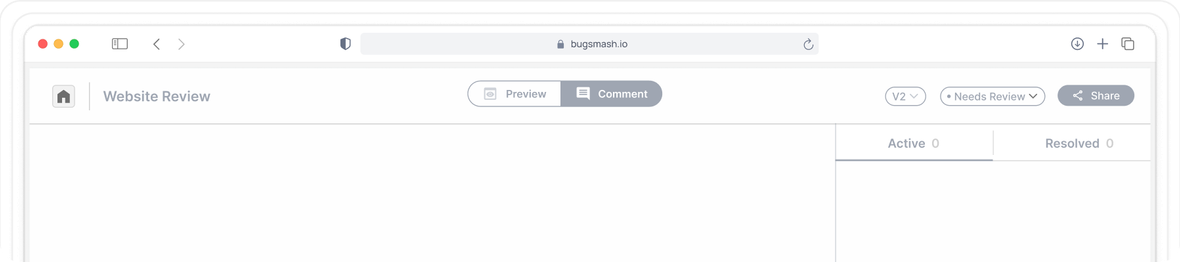
Mobile Apps
Download the BugSmash app
Install BugSmash on your Android or iOS device and sign in once. Nothing to configure in your build.
Install the BugSmash app, then draw and comment directly over any other app on your device. Share the review link with your developers or team and every note lands with device and OS details attached.
Available for Android and iOS. Draw over any app on your device, then share the link with your team.


Loved by1,250+Agenciesand companies in 100+ countries
Watch it work
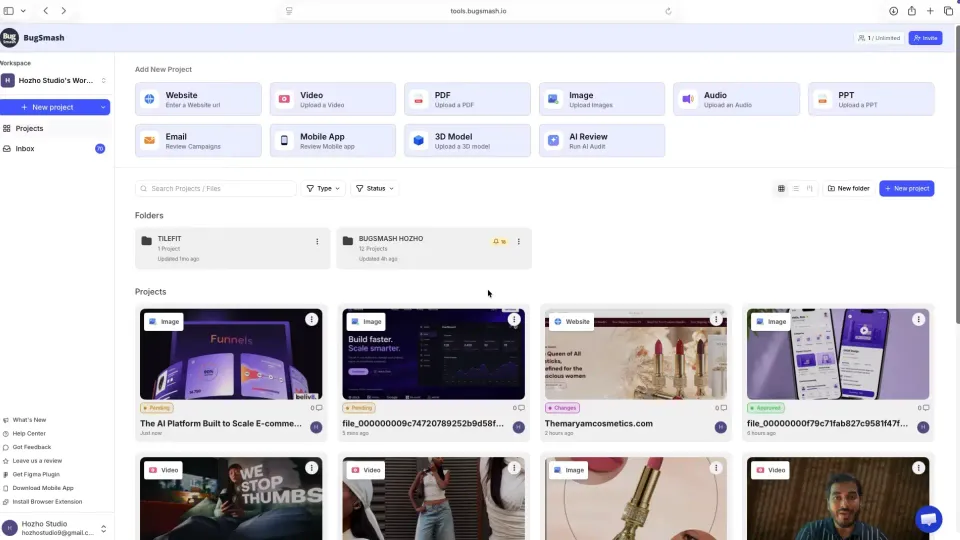
How it works
Get contextual, actionable comments on your mobile app in minutes - no logins for reviewers, no downloads, no chaos.
Install BugSmash on your Android or iOS device and sign in once. Nothing to configure in your build.
Open the app you want reviewed, tap the BugSmash overlay and annotate directly on the screen with arrows, boxes and notes.
Send one review link to your developers or team. Every annotation arrives with device details, ready to export to Jira, Linear or Trello.
Features
Annotate, thread replies, compare versions and turn feedback into tasks - all in one place.
A floating overlay lets you annotate whatever is on screen, in any app, without a special test build.
Arrows, boxes, freehand and text notes are added right where the issue appears, not described from memory.
Device model, OS version, app version and locale attach to every annotation automatically.
Reviews of unreleased apps stay private with password protection and reviewer level access.
Made for
For product teams, QA, mobile developers and agencies delivering app releases.

Keep designers, engineers and PMs aligned on exactly what to fix and ship next.

Log visual bugs with browser and device context attached, then reproduce and fix issues faster.

Run every client review under your own brand with white-label portals and custom domains.

Collect pixel-precise annotations so every note lands in context and every revision is clear.

Share a polished review link and get clear client approvals without asking anyone to sign up.

Review landing pages, email campaigns and ad creative in one place, with clear sign-off.
Use cases
Testers capture and annotate issues on their own phones instead of typing vague chat messages.
Clients walk through the app on their device, mark what needs changing and send one link back.
Designers check spacing, states and typography on the live app and draw corrections in place.
Real stories from teams using BugSmash to replace scattered screenshots, email threads and unclear revision notes.
"Very useful for team input."
The biggest challenge with any new app is peer buy-in to using it. Thankfully the product spoke to them and now everyone is using it. Being able to put a pin on any place of the website and comment on it is much more intuitive than what we were previously doing. We used to use a Word doc with screenshots and notes about what is wrong. After 26 pages, you can imagine it started to get chaotic and cumbersome. BugSmash fixed everyone's workflow. Love how we can assign tasks and prioritise, page by page. And its not just websites too, it can be a multitude of sources, including PDF file uploads and images. Really handy!
"Four Happy Project Clients and Growing."
We have been using the product now for a couple of weeks and already have 4 customers using it to provide feedback on their websites that we support for them. Extremely intuitive for the customer and hopefully, as the intro to this product claims, it will help us end the endless chat and email loops with our customers asking us to 'change the spelling, increase that font size, make this darker, and the list goes on' We had a couple of problems at the onset but support from BugSmash has been exceptional. Keep up the good work. We're looking forward to making this part of our SOP and our Website Care Plans for all of our customers.
"Did what I needed it to do, no fuss and just worked straight out of the box!."
I'm really impressed. After using MANY feedback tools over the years, this worked straight out of the box. No learning curve. Just did exactly what we need it to do. BugSmash integrates straight into ClickUp & Slack - I'm sold <3
"Simply the best!."
BugSmash changed the way you work with customers. Straight to the point, no more ping-pong with emails, clear, stable and fast UI. Now my clients want to use BugSmash for website changes instead of creating support tickets.
"BugSmash - Excellent product, excellent team supporting it!."
I've been using BugSmash for about two weeks or so - it has worked really well on WordPress and Joomla sites, including reorganization of galleries, etc. Ran into an issue on a Wix site I inherited, and raised a support request with the BugSmash team. Nabil was so thorough in his follow up and getting a successful resolution to the issue. Really impressed by this product's ease of use, ability for clients to use with ease, and. most importantly, the BugSmash team's quick response to feedback.
"BugSmash has become an essential tool in my workflow.."
As someone who builds websites and digital projects for clients, collecting feedback used to be messy - long emails, scattered notes, and endless screenshots. BugSmash completely fixed that. Now everything is centralized, visual, and organized directly on the page, which saves me and my clients a lot of time and confusion. It makes collaboration much smoother and more professional. Clients can simply click, comment, and explain exactly what they want changed - no back and forth. What really impressed me is their support team. They respond quickly, are very helpful, and they actually listen. I requested a couple of features and they were implemented faster than I expected, which shows they truly care about their users. If you work with clients or handle revisions/QA, this tool is a no-brainer. Highly recommended.
"Must Have."
This is a must-have tool for anyone looking to gather feedback on design changes. I’ve tried many similar tools in the past, but this one stands out. I used it to collect feedback on a website from a business owner who isn’t very tech-savvy, and they were able to figure it out quickly. They actually enjoyed using it, which made the whole process smooth and efficient.
Download the BugSmash app, open the app you want to review, then use the BugSmash overlay to draw and comment on any screen. Share the generated link with your developers or team.
Download the BugSmash app, draw over any screen and share the link with your team.